

The parts inventory system your dealership counts on.
Pulse replaces count sheets, spreadsheets, and one-off scanner tools with a single workflow: prep, count, verify, reconcile, finalize — with reporting your parts director and controller both trust.
Nine modules, one inventory workflow.
Inventory Counts
Create a cycle, define area ranges across the parts warehouse, assign counters, and track progress bin by bin. Alterations and restores are logged, and archived cycles stay retrievable.
Verify Counts
Flagged and high-value bins queue for a second pass. Verification happens on the same handheld before the cycle can be finalized.
Receiving
Create manifests, scan parts in against ordered units, and watch fill rate and open exceptions by order date instead of discovering shortages weeks later.
Recon
Work variances to zero with configurable reason codes, so every adjustment carries an explanation the controller can review.
Matchbook
Upload the DMS receiving log and the distributor order log, map columns once, save the template, and run reconciliation to surface what was billed but never received.
Area Tag Generator
Generate and print area tags for the whole warehouse so every shelf, rack, and bin range has a scannable identity before counting starts.
Performance
Hourly PPH, pieces per active hour, accuracy by user, raw vs accuracy-adjusted throughput, active vs idle time, and projected length of inventory.
Remote View
Live view of the count in motion — who is counting what, where progress is stalling, and which areas remain open.
Reports & Printing
Count sheets, count summaries, variance sheets, out-of-sequence sheets, and bulk report printing, plus shareable finalized report pages.
From area tags to a finalized variance report.
Print area tags, build the cycle, and set area ranges and counter assignments.
Crews scan on handhelds; Remote View and Performance track progress live.
Second-pass verification, then variances worked with reason codes.
Lock the cycle, publish summary and variance reports, and post clean numbers.
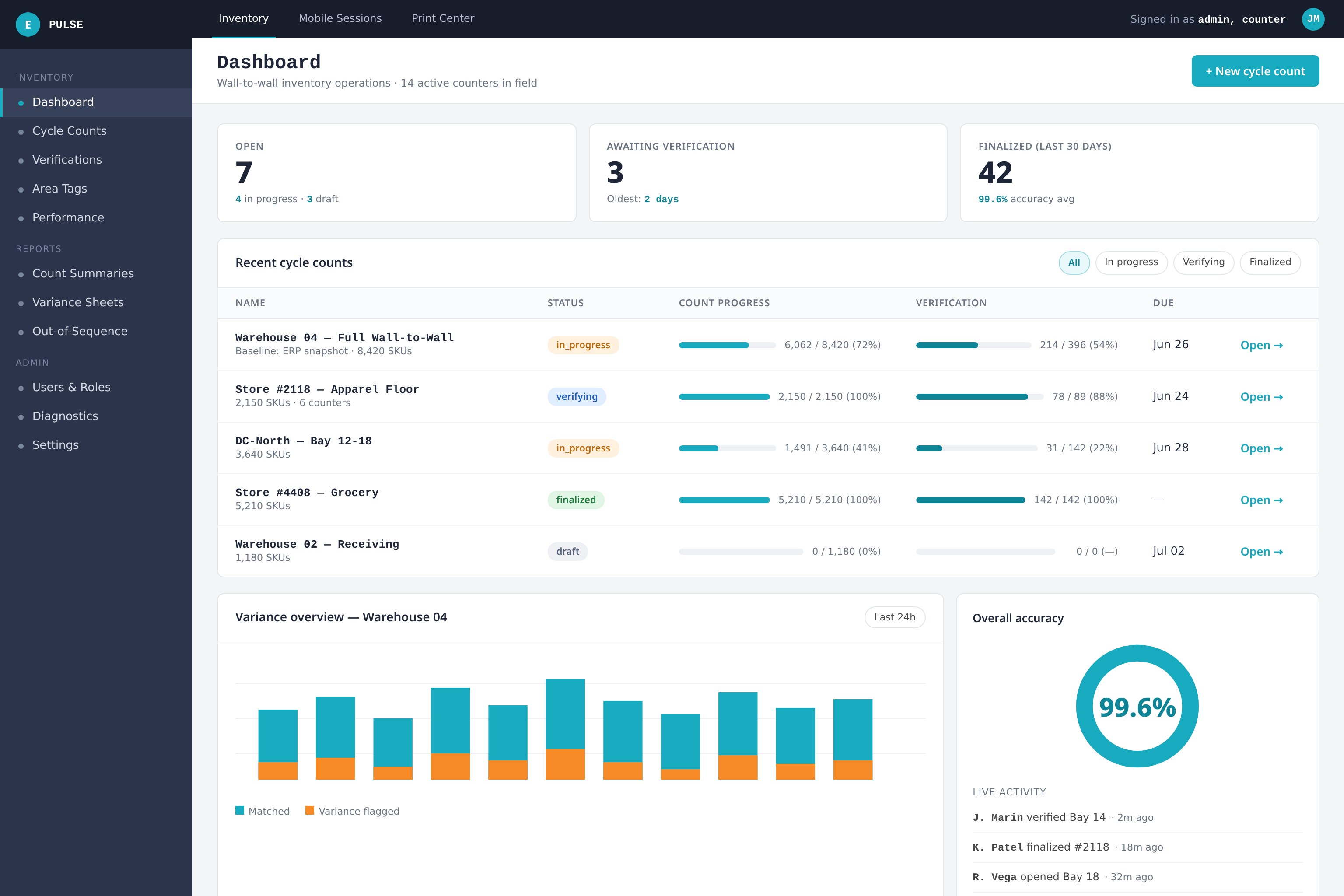
The count, in motion.
Live progress by area and counter, open exceptions, and accuracy metrics from the handheld to the parts office.
What holds it all together.
Users, roles, and permissions
Counter, verifier, and admin roles control who can reconcile, finalize, and adjust. Admins manage users and recon reasons directly in the app.
Multi-store and dealer groups
Each store is its own tenant with its own branding, and group administrators can switch tenant context — with a platform-wide audit log behind it.
Handhelds and offline counting
Runs on rugged Android scanners deployed through MDM, plus camera scanning on phones. Unsynced sessions queue locally and upload when the connection returns.
Audit trail and diagnostics
Cycle audit trails, scan diagnostics, and a finalization workflow mean the numbers you post to the DMS can always be traced back to a scan.
Rugged scanners, phones, or both.
Pulse ships to rugged Android handhelds as a managed app you can deploy through your MDM, and the same mobile workflow runs on a phone camera when you need extra counters on the floor. Sessions that lose signal keep counting and sync when they reconnect.

See Echelon Pulse in your parts department.
Tell us about your stores, your DMS, and when your next inventory lands. We'll follow up within one business day with pricing and a walkthrough of the same count run in Pulse.
- • Built for dealership parts departments — not generic retail
- • Pricing for single rooftops through full dealer groups
- • Scanner deployment and first-count support included